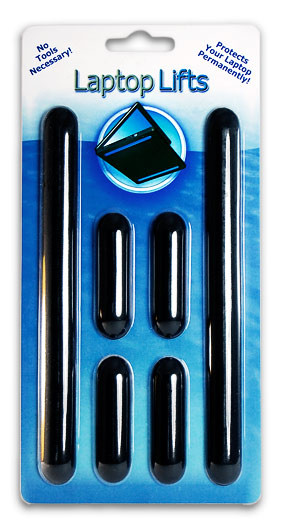
Laptop Lifts are the best replacement rubber laptop feet
that you can buy. Cheaper than manufacturer's feet
and larger than generic feet they are 100% guaranteed not to come off for life until you take them off.
-
Reduce heat by up to 15 degrees
-
Creates a non-slip grip for any surface. Great for angled desks, DJ stands, automobile hoods, and relaxing on your lap.
-
Universal replacement: fits on almost any laptop or tablet
160 customer reviews, 4.6 stars on Amazon.com.


Customers have enjoyed Laptop Lifts all over the world.